
Ever wondered how engineers and architects draw complex 3D objects... Show more
 Irish
Irish English
Sign up to see the contentIt's free!
Access to all documents
Improve your grades
Join milions of students
Knowunity AI
Subjects
Triangle Congruence and Similarity Theorems
Triangle Properties and Classification
Linear Equations and Graphs
Geometric Angle Relationships
Trigonometric Functions and Identities
Equation Solving Techniques
Circle Geometry Fundamentals
Division Operations and Methods
Basic Differentiation Rules
Exponent and Logarithm Properties
Show all topics
Human Organ Systems
Reproductive Cell Cycles
Biological Sciences Subdisciplines
Cellular Energy Metabolism
Autotrophic Energy Processes
Inheritance Patterns and Principles
Biomolecular Structure and Organization
Cell Cycle and Division Mechanics
Cellular Organization and Development
Biological Structural Organization
Show all topics
Chemical Sciences and Applications
Atomic Structure and Composition
Molecular Electron Structure Representation
Atomic Electron Behavior
Matter Properties and Water
Mole Concept and Calculations
Gas Laws and Behavior
Periodic Table Organization
Chemical Thermodynamics Fundamentals
Chemical Bond Types and Properties
Show all topics
European Renaissance and Enlightenment
European Cultural Movements 800-1920
American Revolution Era 1763-1797
American Civil War 1861-1865
Global Imperial Systems
Mongol and Chinese Dynasties
U.S. Presidents and World Leaders
Historical Sources and Documentation
World Wars Era and Impact
World Religious Systems
Show all topics
Classic and Contemporary Novels
Literary Character Analysis
Rhetorical Theory and Practice
Classic Literary Narratives
Reading Analysis and Interpretation
Narrative Structure and Techniques
English Language Components
Influential English-Language Authors
Basic Sentence Structure
Narrative Voice and Perspective
Show all topics
8
•
Updated May 7, 2026
•
Ever wondered how engineers and architects draw complex 3D objects... Show more
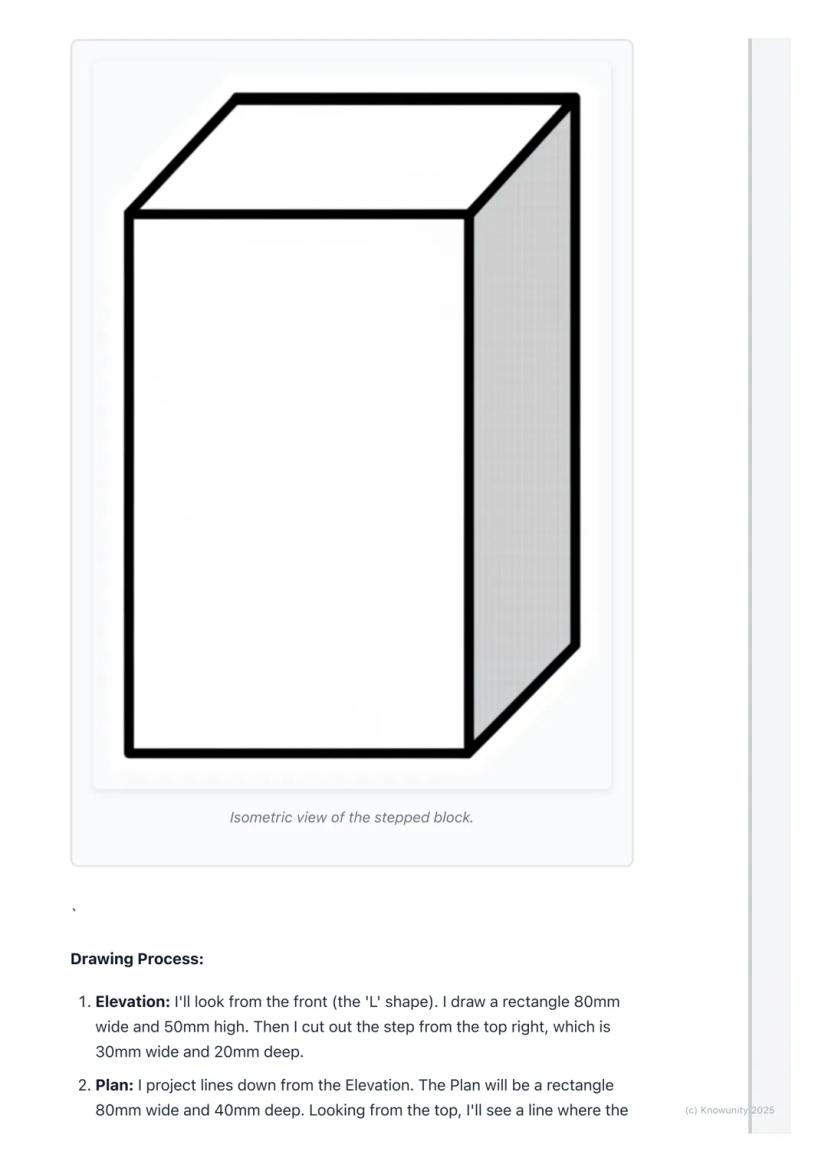
Think of orthographic projection as the ultimate way to describe any 3D object using flat drawings. Instead of trying to squeeze everything into one confusing sketch, you create three separate views that work together like a team.
The word 'ortho' means right-angle, so you're basically creating 'right-angle drawings' that show exactly what someone would see looking straight at an object from different directions. Engineers, designers, and architects use this method because it shows precise measurements and details that would be impossible to see in just one view.
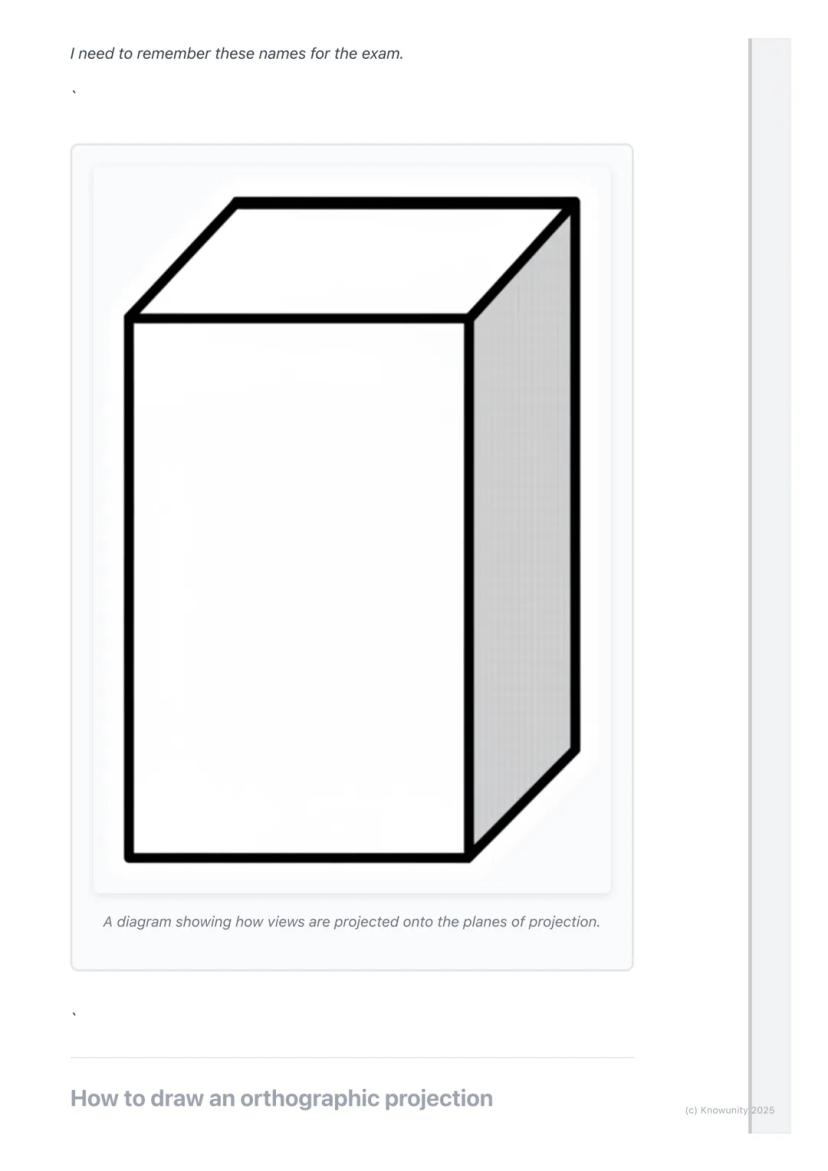
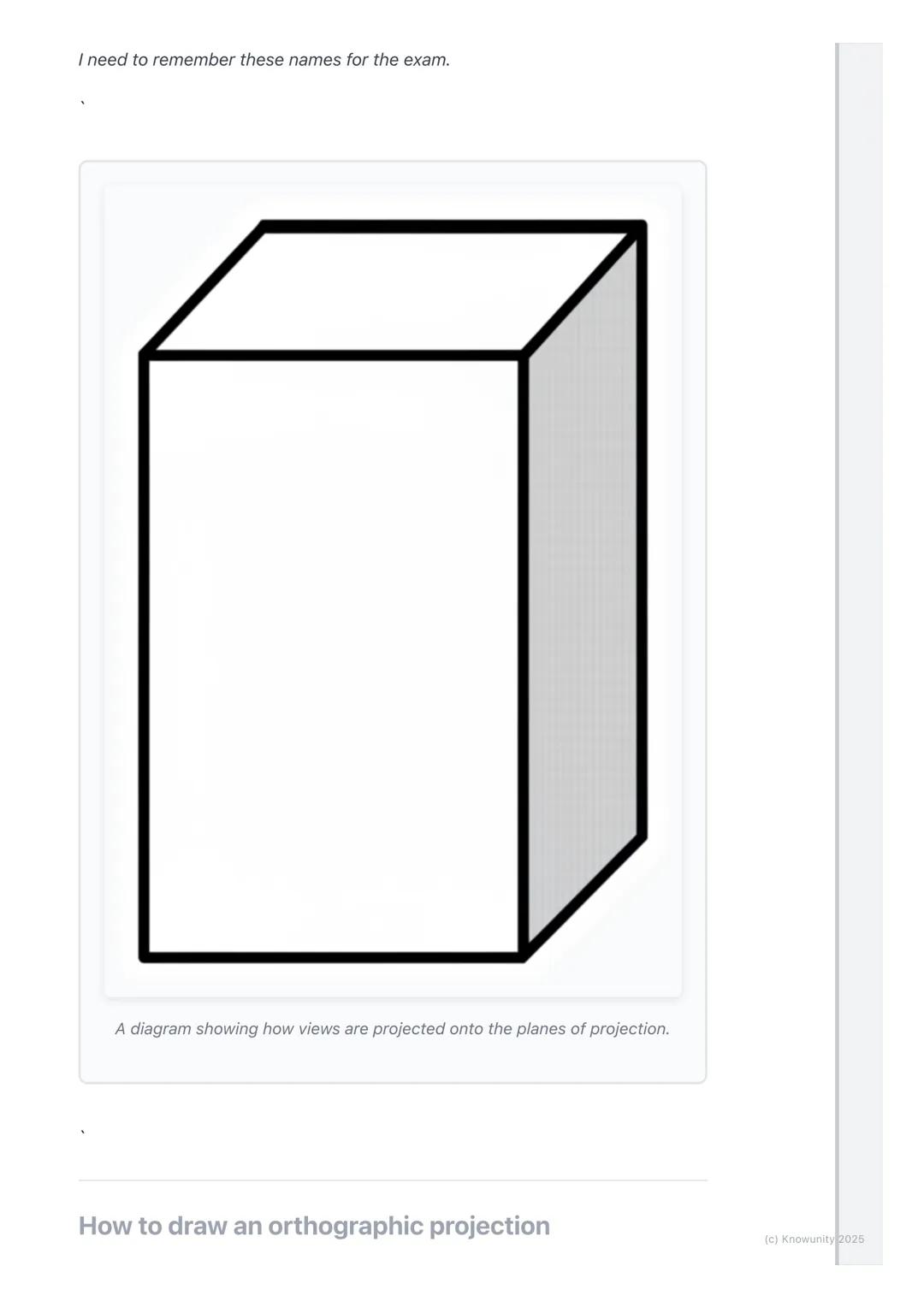
You'll work with planes of projection - imagine invisible sheets of glass where you project your views. The Vertical Plane (VP) holds your front view, whilst the Horizontal Plane (HP) holds your top view, and they meet at the crucial XY line.
Remember: The three main views are Elevation (front view), Plan (top view), and End View (side view) - these names will definitely appear on your exam!
Before you start drawing anything exciting, you need to set up your page properly - this step determines whether your entire drawing will be accurate or a complete mess.
Draw the XY line horizontally across your page first. This acts like a border between your Elevation (which goes above) and your Plan (which goes below). Then add a vertical line on the right side to separate your Elevation from your End View.
Always start with the Elevation because it's your anchor point for everything else. Choose the side of your object that shows the most interesting shape or important details - this becomes your front view.
Top Tip: Getting your setup right saves you loads of time later and prevents those frustrating alignment mistakes that cost marks!
Here's where the magic happens - you'll use projection lines to connect all three views perfectly. These light construction lines ensure everything lines up exactly as it should.
After drawing your Elevation above the XY line, project light vertical lines straight down from every corner. These lines guide where you draw your Plan view below the XY line. The width stays the same, but you'll need to measure the object's depth yourself.
For the End View, you project horizontal lines across from your Elevation to get the heights right. Then comes the clever bit - use a 45-degree line starting where your XY line meets the vertical divider. Project lines from your Plan to this 45-degree line, then straight up into your End View area.
Key Point: The Elevation and Plan must line up perfectly - their widths are identical, and the End View's height must match the Elevation exactly.
Once you've got your basic shapes sketched out using those light projection lines, it's time to make your drawing look professional and exam-ready.
Go over the main outlines of your object in each view with darker, heavier lines - these are called object lines and they represent the actual edges you can see. Keep your projection lines light because they show your working method.
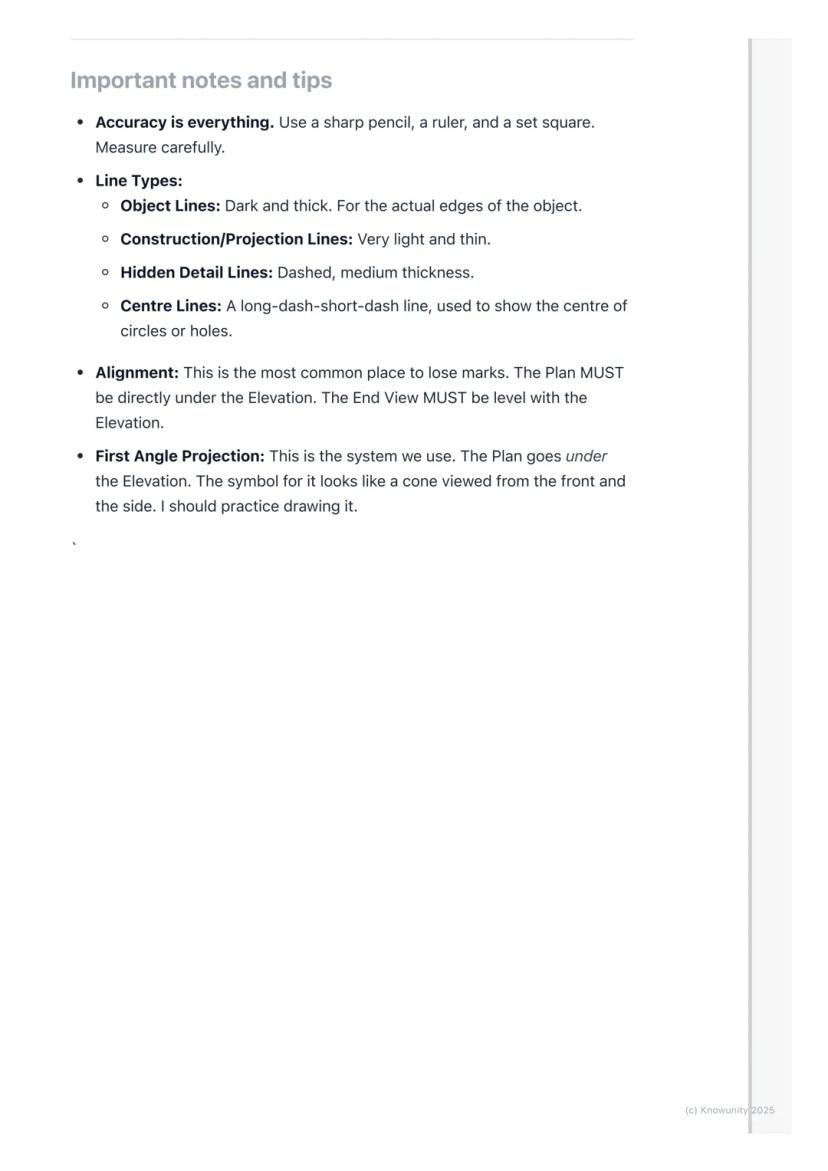
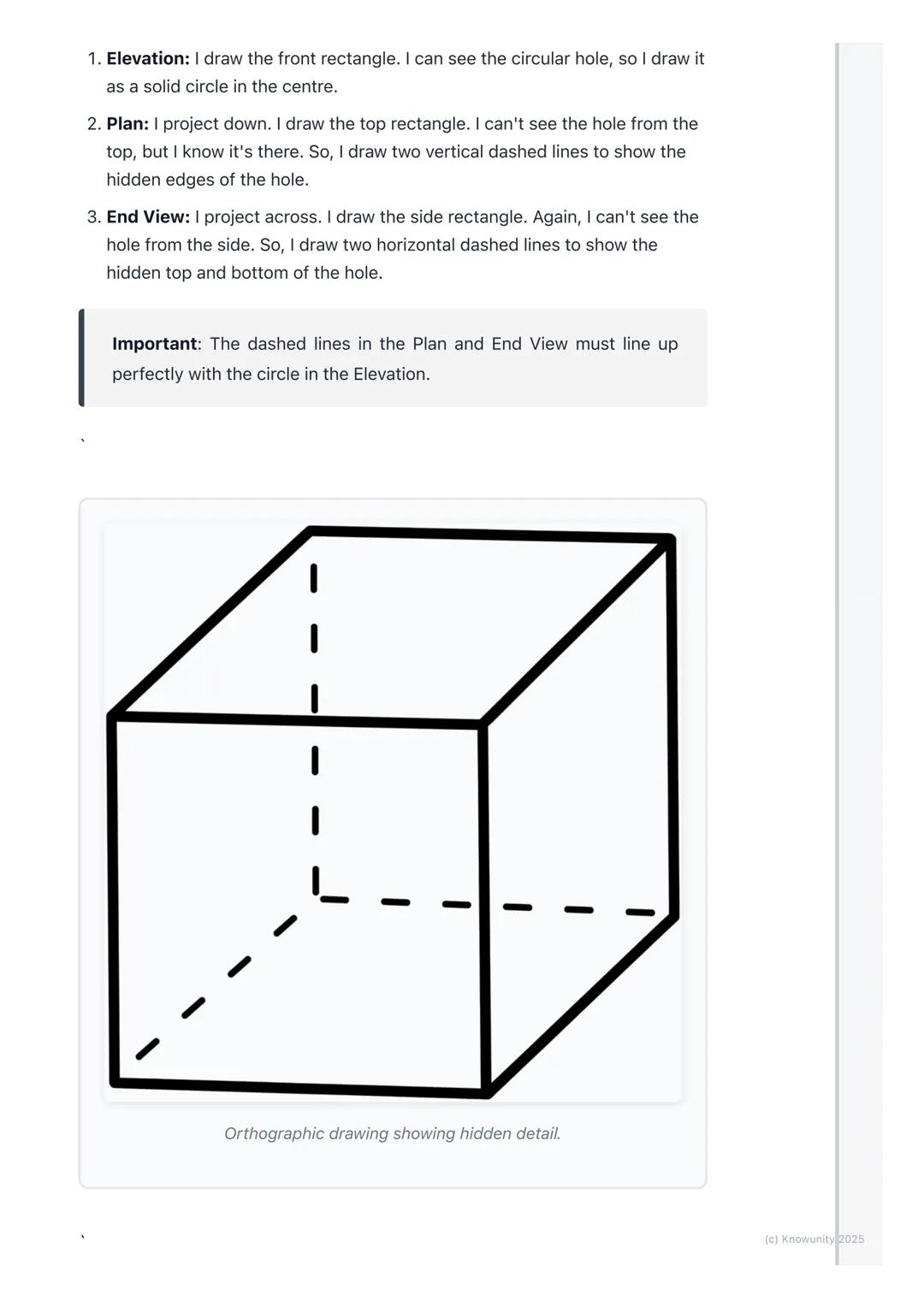
When parts of your object are hidden from view, you must show them using dashed lines. For example, if there's a hole going through a block, you'll see the circular opening in one view but need dashed lines in the other views to show where that hole exists.
Exam Success: Always add clear labels (ELEVATION, PLAN, END VIEW) and dimensions to your drawing - these simple additions can earn you extra marks!
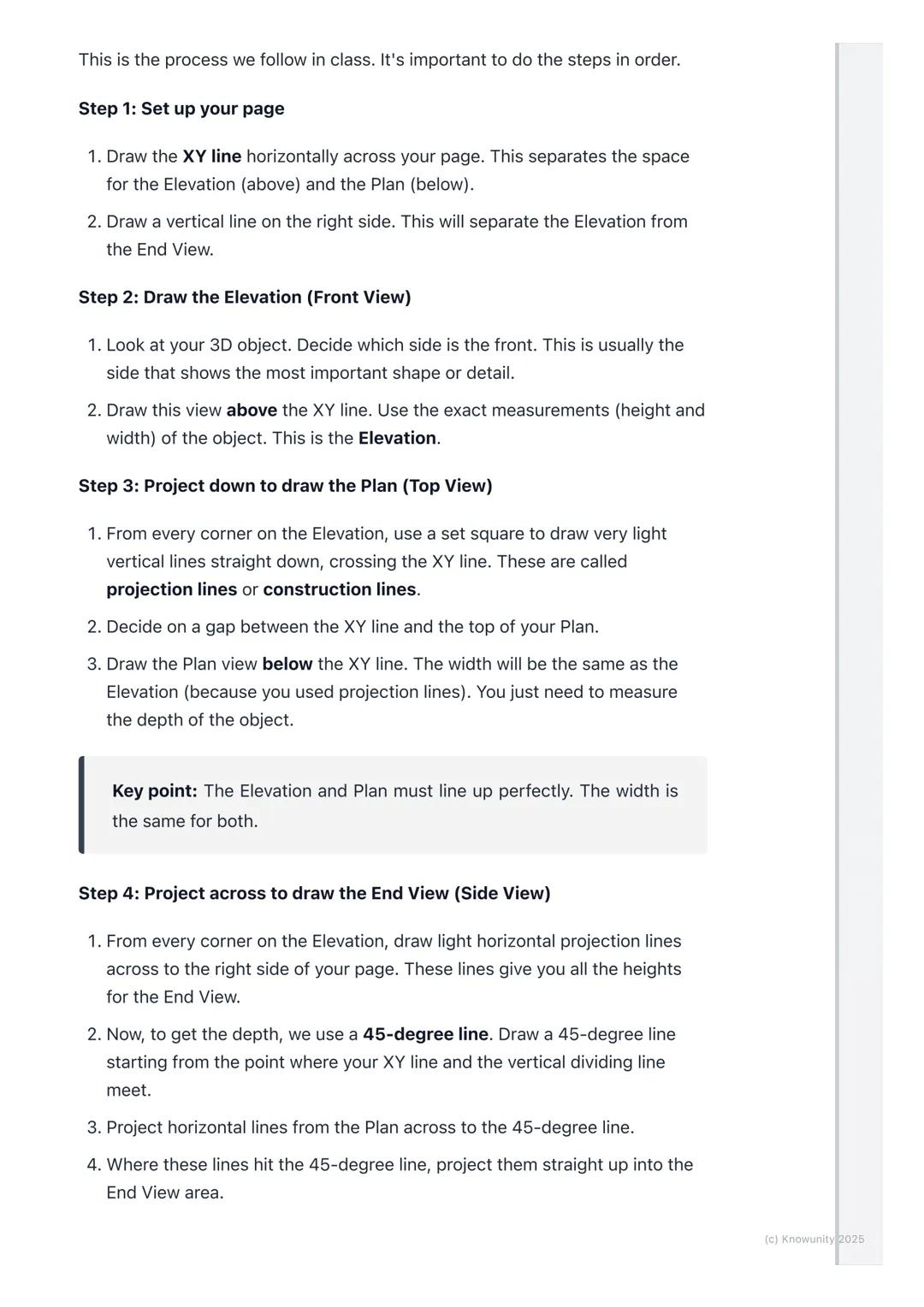
Real objects aren't just simple blocks - they have holes, cuts, and internal features that make orthographic projection both challenging and essential for clear communication.
Hidden detail appears as dashed lines in your drawings. If you're looking at a block with a hole drilled through it, you'll see the circular opening clearly in your front view, but the top and side views need dashed lines to show where that hole exists even though you can't see it directly.
The key is thinking logically about what each view would actually show. From above, a hole might appear as two parallel dashed lines showing its width. From the side, you'd see different dashed lines showing its height.
Critical Rule: Your dashed lines must align perfectly with the solid features in other views - this alignment proves you understand how the 3D object actually works.
Professional orthographic projection uses different line types to communicate different information - mastering these will make your drawings look expert-level.
Object lines are dark and thick, showing the actual visible edges of your object. Construction lines (your projection lines) stay very light and thin. Hidden detail lines are medium-thickness dashed lines, whilst centre lines use a long-dash-short-dash pattern to show centres of circles or holes.
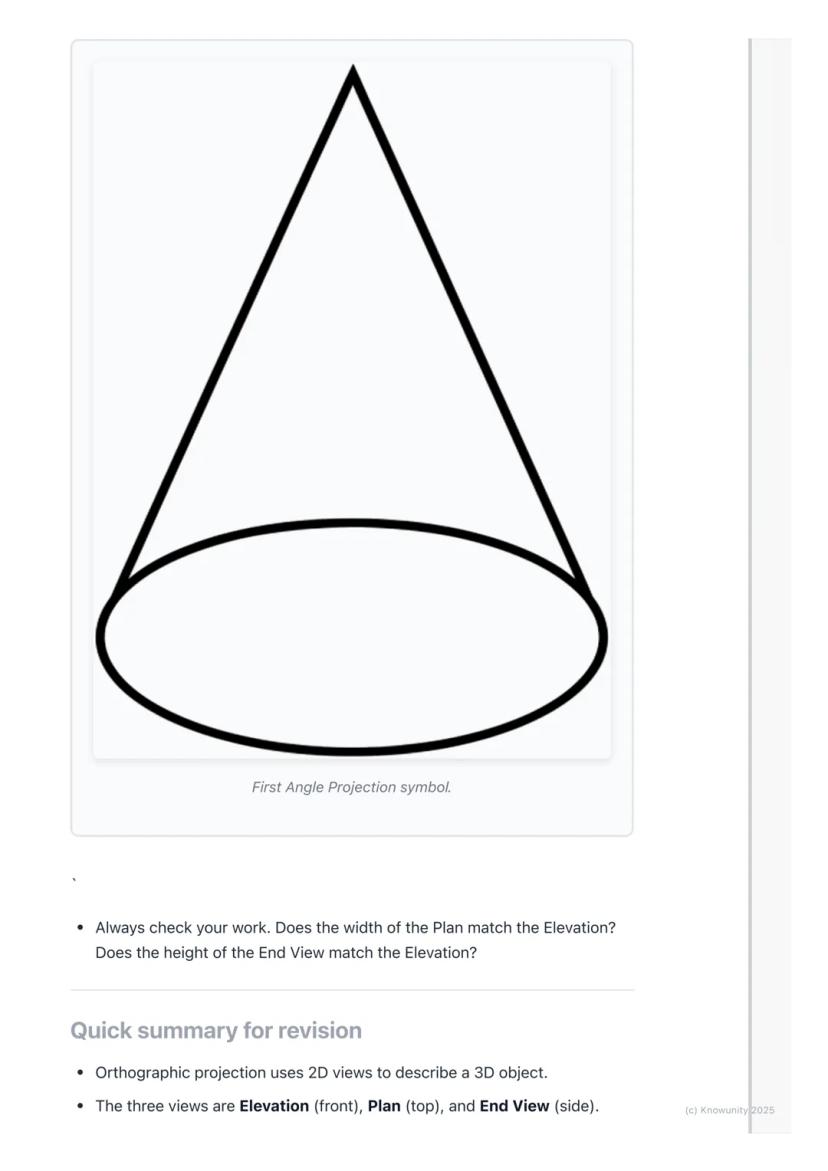
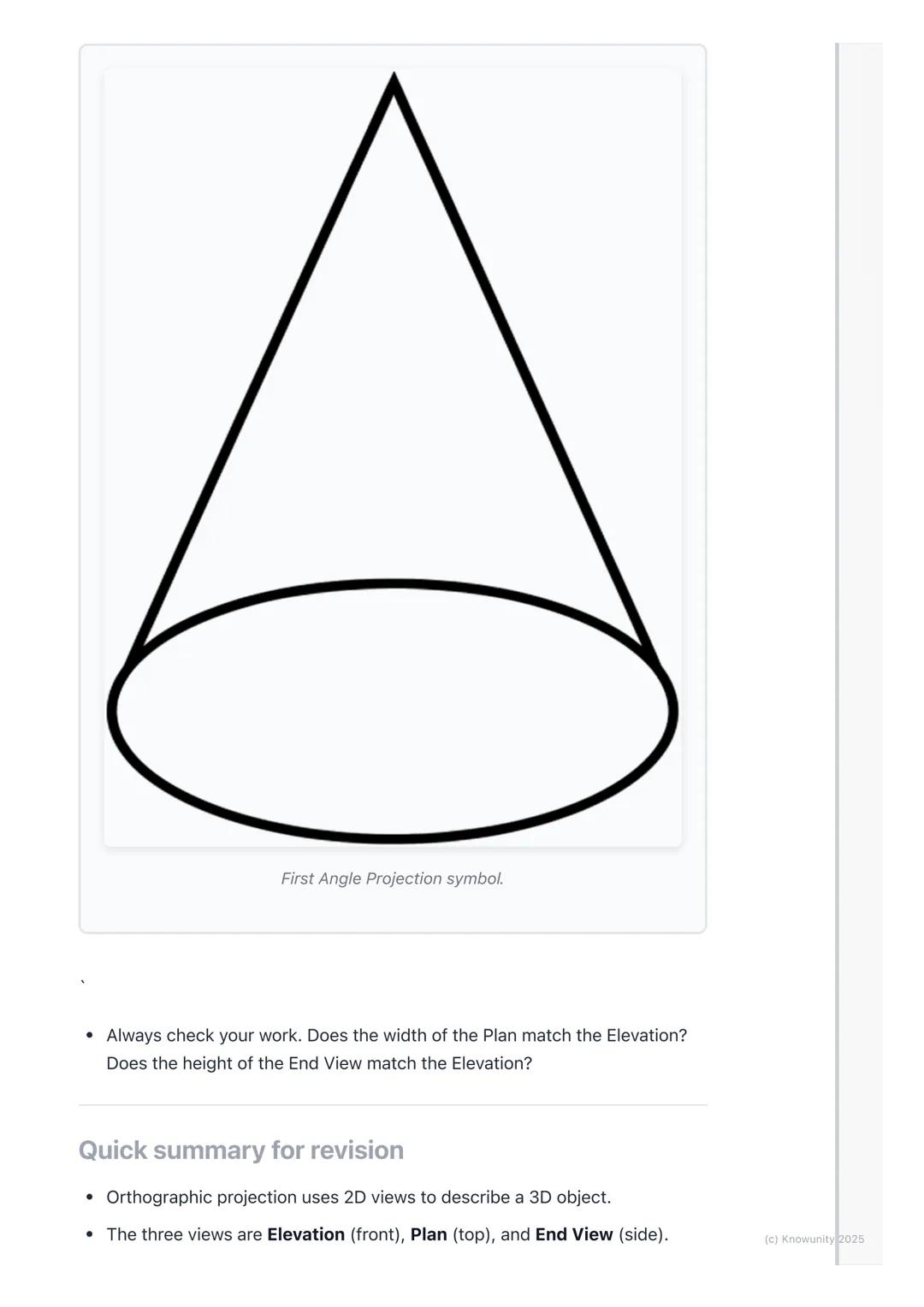
You'll be using First Angle Projection - this is the standard system where your Plan sits directly under your Elevation, and your End View aligns with the Elevation's height. There's even a special symbol for this system that looks like a cone from two angles.
Accuracy Tip: Use sharp pencils, rulers, and set squares religiously - orthographic projection rewards precision and punishes sloppy measuring!
Orthographic projection transforms any 3D object into three perfectly aligned 2D views that show every detail and measurement clearly.
Your process never changes: draw the Elevation first above the XY line, project down to create the Plan below, then project across using that 45-degree line trick to build your End View. Everything must align perfectly - widths matching between Elevation and Plan, heights matching between Elevation and End View.
Use dashed lines for hidden details, keep your construction lines light, and make your object lines bold and clear. Label everything properly and add dimensions to show you understand the measurements.
Final Check: Before submitting any orthographic drawing, verify that all your views align correctly - this single check prevents most common mistakes and ensures your hard work pays off!
Our AI companion is specifically built for the needs of students. Based on the millions of content pieces we have on the platform we can provide truly meaningful and relevant answers to students. But its not only about answers, the companion is even more about guiding students through their daily learning challenges, with personalised study plans, quizzes or content pieces in the chat and 100% personalisation based on the students skills and developments.
You can download the app in the Google Play Store and in the Apple App Store.
That's right! Enjoy free access to study content, connect with fellow students, and get instant help – all at your fingertips.
App Store
Google Play
The app is very easy to use and well designed. I have found everything I was looking for so far and have been able to learn a lot from the presentations! I will definitely use the app for a class assignment! And of course it also helps a lot as an inspiration.
Stefan S
iOS user
This app is really great. There are so many study notes and help [...]. My problem subject is French, for example, and the app has so many options for help. Thanks to this app, I have improved my French. I would recommend it to anyone.
Samantha Klich
Android user
Wow, I am really amazed. I just tried the app because I've seen it advertised many times and was absolutely stunned. This app is THE HELP you want for school and above all, it offers so many things, such as workouts and fact sheets, which have been VERY helpful to me personally.
Anna
iOS user
I think it’s very much worth it and you’ll end up using it a lot once you get the hang of it and even after looking at others notes you can still ask your Artificial intelligence buddy the question and ask to simplify it if you still don’t get it!!! In the end I think it’s worth it 😊👍 ⚠️Also DID I MENTION ITS FREEE YOU DON’T HAVE TO PAY FOR ANYTHING AND STILL GET YOUR GRADES IN PERFECTLY❗️❗️⚠️
Thomas R
iOS user
Knowunity is the BEST app I’ve used in a minute. This is not an ai review or anything this is genuinely coming from a 7th grade student (I know 2011 im young) but dude this app is a 10/10 i have maintained a 3.8 gpa and have plenty of time for gaming. I love it and my mom is just happy I got good grades
Brad T
Android user
Not only did it help me find the answer but it also showed me alternative ways to solve it. I was horrible in math and science but now I have an a in both subjects. Thanks for the help🤍🤍
David K
iOS user
The app's just great! All I have to do is enter the topic in the search bar and I get the response real fast. I don't have to watch 10 YouTube videos to understand something, so I'm saving my time. Highly recommended!
Sudenaz Ocak
Android user
In school I was really bad at maths but thanks to the app, I am doing better now. I am so grateful that you made the app.
Greenlight Bonnie
Android user
I found this app a couple years ago and it has only gotten better since then. I really love it because it can help with written questions and photo questions. Also, it can find study guides that other people have made as well as flashcard sets and practice tests. The free version is also amazing for students who might not be able to afford it. Would 100% recommend
Aubrey
iOS user
Best app if you're in Highschool or Junior high. I have been using this app for 2 school years and it's the best, it's good if you don't have anyone to help you with school work.😋🩷🎀
Marco B
iOS user
THE QUIZES AND FLASHCARDS ARE SO USEFUL AND I LOVE Knowunity AI. IT ALSO IS LITREALLY LIKE CHATGPT BUT SMARTER!! HELPED ME WITH MY MASCARA PROBLEMS TOO!! AS WELL AS MY REAL SUBJECTS ! DUHHH 😍😁😲🤑💗✨🎀😮
Elisha
iOS user
This app is phenomenal down to the correct info and the various topics you can study! I greatly recommend it for people who struggle with procrastination and those who need homework help. It has been perfectly accurate for world 1 history as far as I’ve seen! Geometry too!
Paul T
iOS user
The app is very easy to use and well designed. I have found everything I was looking for so far and have been able to learn a lot from the presentations! I will definitely use the app for a class assignment! And of course it also helps a lot as an inspiration.
Stefan S
iOS user
This app is really great. There are so many study notes and help [...]. My problem subject is French, for example, and the app has so many options for help. Thanks to this app, I have improved my French. I would recommend it to anyone.
Samantha Klich
Android user
Wow, I am really amazed. I just tried the app because I've seen it advertised many times and was absolutely stunned. This app is THE HELP you want for school and above all, it offers so many things, such as workouts and fact sheets, which have been VERY helpful to me personally.
Anna
iOS user
I think it’s very much worth it and you’ll end up using it a lot once you get the hang of it and even after looking at others notes you can still ask your Artificial intelligence buddy the question and ask to simplify it if you still don’t get it!!! In the end I think it’s worth it 😊👍 ⚠️Also DID I MENTION ITS FREEE YOU DON’T HAVE TO PAY FOR ANYTHING AND STILL GET YOUR GRADES IN PERFECTLY❗️❗️⚠️
Thomas R
iOS user
Knowunity is the BEST app I’ve used in a minute. This is not an ai review or anything this is genuinely coming from a 7th grade student (I know 2011 im young) but dude this app is a 10/10 i have maintained a 3.8 gpa and have plenty of time for gaming. I love it and my mom is just happy I got good grades
Brad T
Android user
Not only did it help me find the answer but it also showed me alternative ways to solve it. I was horrible in math and science but now I have an a in both subjects. Thanks for the help🤍🤍
David K
iOS user
The app's just great! All I have to do is enter the topic in the search bar and I get the response real fast. I don't have to watch 10 YouTube videos to understand something, so I'm saving my time. Highly recommended!
Sudenaz Ocak
Android user
In school I was really bad at maths but thanks to the app, I am doing better now. I am so grateful that you made the app.
Greenlight Bonnie
Android user
I found this app a couple years ago and it has only gotten better since then. I really love it because it can help with written questions and photo questions. Also, it can find study guides that other people have made as well as flashcard sets and practice tests. The free version is also amazing for students who might not be able to afford it. Would 100% recommend
Aubrey
iOS user
Best app if you're in Highschool or Junior high. I have been using this app for 2 school years and it's the best, it's good if you don't have anyone to help you with school work.😋🩷🎀
Marco B
iOS user
THE QUIZES AND FLASHCARDS ARE SO USEFUL AND I LOVE Knowunity AI. IT ALSO IS LITREALLY LIKE CHATGPT BUT SMARTER!! HELPED ME WITH MY MASCARA PROBLEMS TOO!! AS WELL AS MY REAL SUBJECTS ! DUHHH 😍😁😲🤑💗✨🎀😮
Elisha
iOS user
This app is phenomenal down to the correct info and the various topics you can study! I greatly recommend it for people who struggle with procrastination and those who need homework help. It has been perfectly accurate for world 1 history as far as I’ve seen! Geometry too!
Paul T
iOS user
Ever wondered how engineers and architects draw complex 3D objects on flat paper? Orthographic projection is their secret weapon - it's like taking photos of an object from three different angles and laying them out perfectly to show every detail... Show more
Access to all documents
Improve your grades
Join milions of students
Think of orthographic projection as the ultimate way to describe any 3D object using flat drawings. Instead of trying to squeeze everything into one confusing sketch, you create three separate views that work together like a team.
The word 'ortho' means right-angle, so you're basically creating 'right-angle drawings' that show exactly what someone would see looking straight at an object from different directions. Engineers, designers, and architects use this method because it shows precise measurements and details that would be impossible to see in just one view.
You'll work with planes of projection - imagine invisible sheets of glass where you project your views. The Vertical Plane (VP) holds your front view, whilst the Horizontal Plane (HP) holds your top view, and they meet at the crucial XY line.
Remember: The three main views are Elevation (front view), Plan (top view), and End View (side view) - these names will definitely appear on your exam!
Access to all documents
Improve your grades
Join milions of students
Before you start drawing anything exciting, you need to set up your page properly - this step determines whether your entire drawing will be accurate or a complete mess.
Draw the XY line horizontally across your page first. This acts like a border between your Elevation (which goes above) and your Plan (which goes below). Then add a vertical line on the right side to separate your Elevation from your End View.
Always start with the Elevation because it's your anchor point for everything else. Choose the side of your object that shows the most interesting shape or important details - this becomes your front view.
Top Tip: Getting your setup right saves you loads of time later and prevents those frustrating alignment mistakes that cost marks!
Access to all documents
Improve your grades
Join milions of students
Here's where the magic happens - you'll use projection lines to connect all three views perfectly. These light construction lines ensure everything lines up exactly as it should.
After drawing your Elevation above the XY line, project light vertical lines straight down from every corner. These lines guide where you draw your Plan view below the XY line. The width stays the same, but you'll need to measure the object's depth yourself.
For the End View, you project horizontal lines across from your Elevation to get the heights right. Then comes the clever bit - use a 45-degree line starting where your XY line meets the vertical divider. Project lines from your Plan to this 45-degree line, then straight up into your End View area.
Key Point: The Elevation and Plan must line up perfectly - their widths are identical, and the End View's height must match the Elevation exactly.
Access to all documents
Improve your grades
Join milions of students
Once you've got your basic shapes sketched out using those light projection lines, it's time to make your drawing look professional and exam-ready.
Go over the main outlines of your object in each view with darker, heavier lines - these are called object lines and they represent the actual edges you can see. Keep your projection lines light because they show your working method.
When parts of your object are hidden from view, you must show them using dashed lines. For example, if there's a hole going through a block, you'll see the circular opening in one view but need dashed lines in the other views to show where that hole exists.
Exam Success: Always add clear labels (ELEVATION, PLAN, END VIEW) and dimensions to your drawing - these simple additions can earn you extra marks!
Access to all documents
Improve your grades
Join milions of students
Real objects aren't just simple blocks - they have holes, cuts, and internal features that make orthographic projection both challenging and essential for clear communication.
Hidden detail appears as dashed lines in your drawings. If you're looking at a block with a hole drilled through it, you'll see the circular opening clearly in your front view, but the top and side views need dashed lines to show where that hole exists even though you can't see it directly.
The key is thinking logically about what each view would actually show. From above, a hole might appear as two parallel dashed lines showing its width. From the side, you'd see different dashed lines showing its height.
Critical Rule: Your dashed lines must align perfectly with the solid features in other views - this alignment proves you understand how the 3D object actually works.
Access to all documents
Improve your grades
Join milions of students
Professional orthographic projection uses different line types to communicate different information - mastering these will make your drawings look expert-level.
Object lines are dark and thick, showing the actual visible edges of your object. Construction lines (your projection lines) stay very light and thin. Hidden detail lines are medium-thickness dashed lines, whilst centre lines use a long-dash-short-dash pattern to show centres of circles or holes.
You'll be using First Angle Projection - this is the standard system where your Plan sits directly under your Elevation, and your End View aligns with the Elevation's height. There's even a special symbol for this system that looks like a cone from two angles.
Accuracy Tip: Use sharp pencils, rulers, and set squares religiously - orthographic projection rewards precision and punishes sloppy measuring!
Access to all documents
Improve your grades
Join milions of students
Orthographic projection transforms any 3D object into three perfectly aligned 2D views that show every detail and measurement clearly.
Your process never changes: draw the Elevation first above the XY line, project down to create the Plan below, then project across using that 45-degree line trick to build your End View. Everything must align perfectly - widths matching between Elevation and Plan, heights matching between Elevation and End View.
Use dashed lines for hidden details, keep your construction lines light, and make your object lines bold and clear. Label everything properly and add dimensions to show you understand the measurements.
Final Check: Before submitting any orthographic drawing, verify that all your views align correctly - this single check prevents most common mistakes and ensures your hard work pays off!
Access to all documents
Improve your grades
Join milions of students
Access to all documents
Improve your grades
Join milions of students
Access to all documents
Improve your grades
Join milions of students
Our AI companion is specifically built for the needs of students. Based on the millions of content pieces we have on the platform we can provide truly meaningful and relevant answers to students. But its not only about answers, the companion is even more about guiding students through their daily learning challenges, with personalised study plans, quizzes or content pieces in the chat and 100% personalisation based on the students skills and developments.
You can download the app in the Google Play Store and in the Apple App Store.
That's right! Enjoy free access to study content, connect with fellow students, and get instant help – all at your fingertips.
0
Smart Tools NEW
Transform this note into: ✓ 50+ Practice Questions ✓ Interactive Flashcards ✓ Full Practice Test ✓ Essay Outlines
App Store
Google Play
The app is very easy to use and well designed. I have found everything I was looking for so far and have been able to learn a lot from the presentations! I will definitely use the app for a class assignment! And of course it also helps a lot as an inspiration.
Stefan S
iOS user
This app is really great. There are so many study notes and help [...]. My problem subject is French, for example, and the app has so many options for help. Thanks to this app, I have improved my French. I would recommend it to anyone.
Samantha Klich
Android user
Wow, I am really amazed. I just tried the app because I've seen it advertised many times and was absolutely stunned. This app is THE HELP you want for school and above all, it offers so many things, such as workouts and fact sheets, which have been VERY helpful to me personally.
Anna
iOS user
I think it’s very much worth it and you’ll end up using it a lot once you get the hang of it and even after looking at others notes you can still ask your Artificial intelligence buddy the question and ask to simplify it if you still don’t get it!!! In the end I think it’s worth it 😊👍 ⚠️Also DID I MENTION ITS FREEE YOU DON’T HAVE TO PAY FOR ANYTHING AND STILL GET YOUR GRADES IN PERFECTLY❗️❗️⚠️
Thomas R
iOS user
Knowunity is the BEST app I’ve used in a minute. This is not an ai review or anything this is genuinely coming from a 7th grade student (I know 2011 im young) but dude this app is a 10/10 i have maintained a 3.8 gpa and have plenty of time for gaming. I love it and my mom is just happy I got good grades
Brad T
Android user
Not only did it help me find the answer but it also showed me alternative ways to solve it. I was horrible in math and science but now I have an a in both subjects. Thanks for the help🤍🤍
David K
iOS user
The app's just great! All I have to do is enter the topic in the search bar and I get the response real fast. I don't have to watch 10 YouTube videos to understand something, so I'm saving my time. Highly recommended!
Sudenaz Ocak
Android user
In school I was really bad at maths but thanks to the app, I am doing better now. I am so grateful that you made the app.
Greenlight Bonnie
Android user
I found this app a couple years ago and it has only gotten better since then. I really love it because it can help with written questions and photo questions. Also, it can find study guides that other people have made as well as flashcard sets and practice tests. The free version is also amazing for students who might not be able to afford it. Would 100% recommend
Aubrey
iOS user
Best app if you're in Highschool or Junior high. I have been using this app for 2 school years and it's the best, it's good if you don't have anyone to help you with school work.😋🩷🎀
Marco B
iOS user
THE QUIZES AND FLASHCARDS ARE SO USEFUL AND I LOVE Knowunity AI. IT ALSO IS LITREALLY LIKE CHATGPT BUT SMARTER!! HELPED ME WITH MY MASCARA PROBLEMS TOO!! AS WELL AS MY REAL SUBJECTS ! DUHHH 😍😁😲🤑💗✨🎀😮
Elisha
iOS user
This app is phenomenal down to the correct info and the various topics you can study! I greatly recommend it for people who struggle with procrastination and those who need homework help. It has been perfectly accurate for world 1 history as far as I’ve seen! Geometry too!
Paul T
iOS user
The app is very easy to use and well designed. I have found everything I was looking for so far and have been able to learn a lot from the presentations! I will definitely use the app for a class assignment! And of course it also helps a lot as an inspiration.
Stefan S
iOS user
This app is really great. There are so many study notes and help [...]. My problem subject is French, for example, and the app has so many options for help. Thanks to this app, I have improved my French. I would recommend it to anyone.
Samantha Klich
Android user
Wow, I am really amazed. I just tried the app because I've seen it advertised many times and was absolutely stunned. This app is THE HELP you want for school and above all, it offers so many things, such as workouts and fact sheets, which have been VERY helpful to me personally.
Anna
iOS user
I think it’s very much worth it and you’ll end up using it a lot once you get the hang of it and even after looking at others notes you can still ask your Artificial intelligence buddy the question and ask to simplify it if you still don’t get it!!! In the end I think it’s worth it 😊👍 ⚠️Also DID I MENTION ITS FREEE YOU DON’T HAVE TO PAY FOR ANYTHING AND STILL GET YOUR GRADES IN PERFECTLY❗️❗️⚠️
Thomas R
iOS user
Knowunity is the BEST app I’ve used in a minute. This is not an ai review or anything this is genuinely coming from a 7th grade student (I know 2011 im young) but dude this app is a 10/10 i have maintained a 3.8 gpa and have plenty of time for gaming. I love it and my mom is just happy I got good grades
Brad T
Android user
Not only did it help me find the answer but it also showed me alternative ways to solve it. I was horrible in math and science but now I have an a in both subjects. Thanks for the help🤍🤍
David K
iOS user
The app's just great! All I have to do is enter the topic in the search bar and I get the response real fast. I don't have to watch 10 YouTube videos to understand something, so I'm saving my time. Highly recommended!
Sudenaz Ocak
Android user
In school I was really bad at maths but thanks to the app, I am doing better now. I am so grateful that you made the app.
Greenlight Bonnie
Android user
I found this app a couple years ago and it has only gotten better since then. I really love it because it can help with written questions and photo questions. Also, it can find study guides that other people have made as well as flashcard sets and practice tests. The free version is also amazing for students who might not be able to afford it. Would 100% recommend
Aubrey
iOS user
Best app if you're in Highschool or Junior high. I have been using this app for 2 school years and it's the best, it's good if you don't have anyone to help you with school work.😋🩷🎀
Marco B
iOS user
THE QUIZES AND FLASHCARDS ARE SO USEFUL AND I LOVE Knowunity AI. IT ALSO IS LITREALLY LIKE CHATGPT BUT SMARTER!! HELPED ME WITH MY MASCARA PROBLEMS TOO!! AS WELL AS MY REAL SUBJECTS ! DUHHH 😍😁😲🤑💗✨🎀😮
Elisha
iOS user
This app is phenomenal down to the correct info and the various topics you can study! I greatly recommend it for people who struggle with procrastination and those who need homework help. It has been perfectly accurate for world 1 history as far as I’ve seen! Geometry too!
Paul T
iOS user